
Independent Concept · Spatial Computing · Human–AI Interaction
ContinuumYour media follows your intent.
Your world stays within reach.
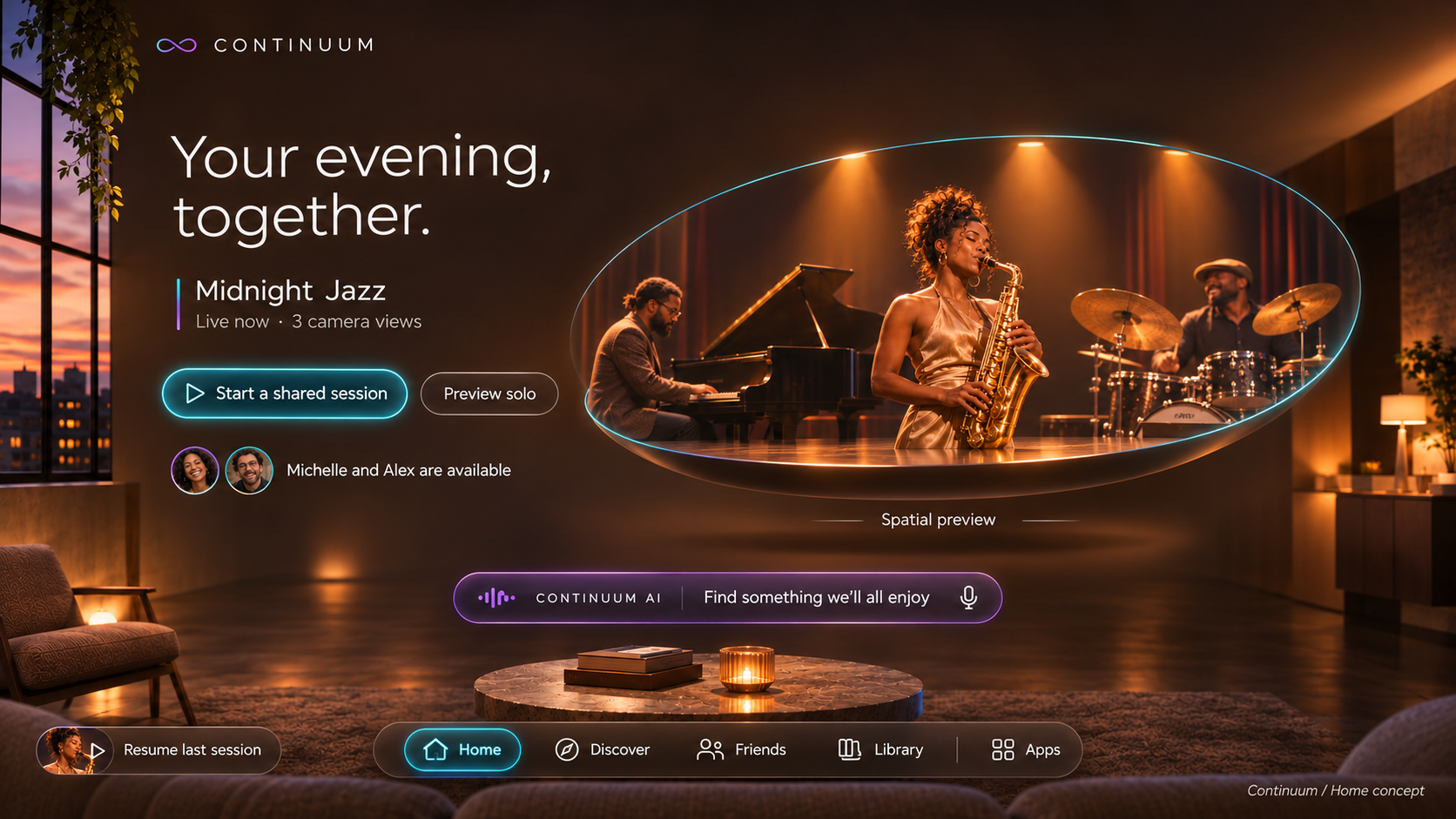
An AI-directed media concept exploring how discovery, immersive viewing, shared experiences, and real-world interruptions can work as one continuous journey.
- Project
- Independent concept
- My contribution
- Product direction, interaction & visual design
- Focus
- Spatial media · Human–AI interaction
- Design tool
- Figma · Components & states
01 / The opportunity
Change the moment.
Keep the context.
What if changing your surroundings didn’t mean starting over? Continuum explores how browsing, watching, connecting, and responding to the room could feel like one journey.
Make shared experiences intentional.
Handle interruptions with a clear path back.
Design hypotheses explored in an independent concept, not findings from a completed user study.
Early exploration / Selected sketchboard scenes
Work out the behavior.
Then shape the experience.
Before the cinematic screens, I mapped the person’s intent, the AI response, and the boundary between personal and shared control. These four moments connect the initial idea to the journey below.
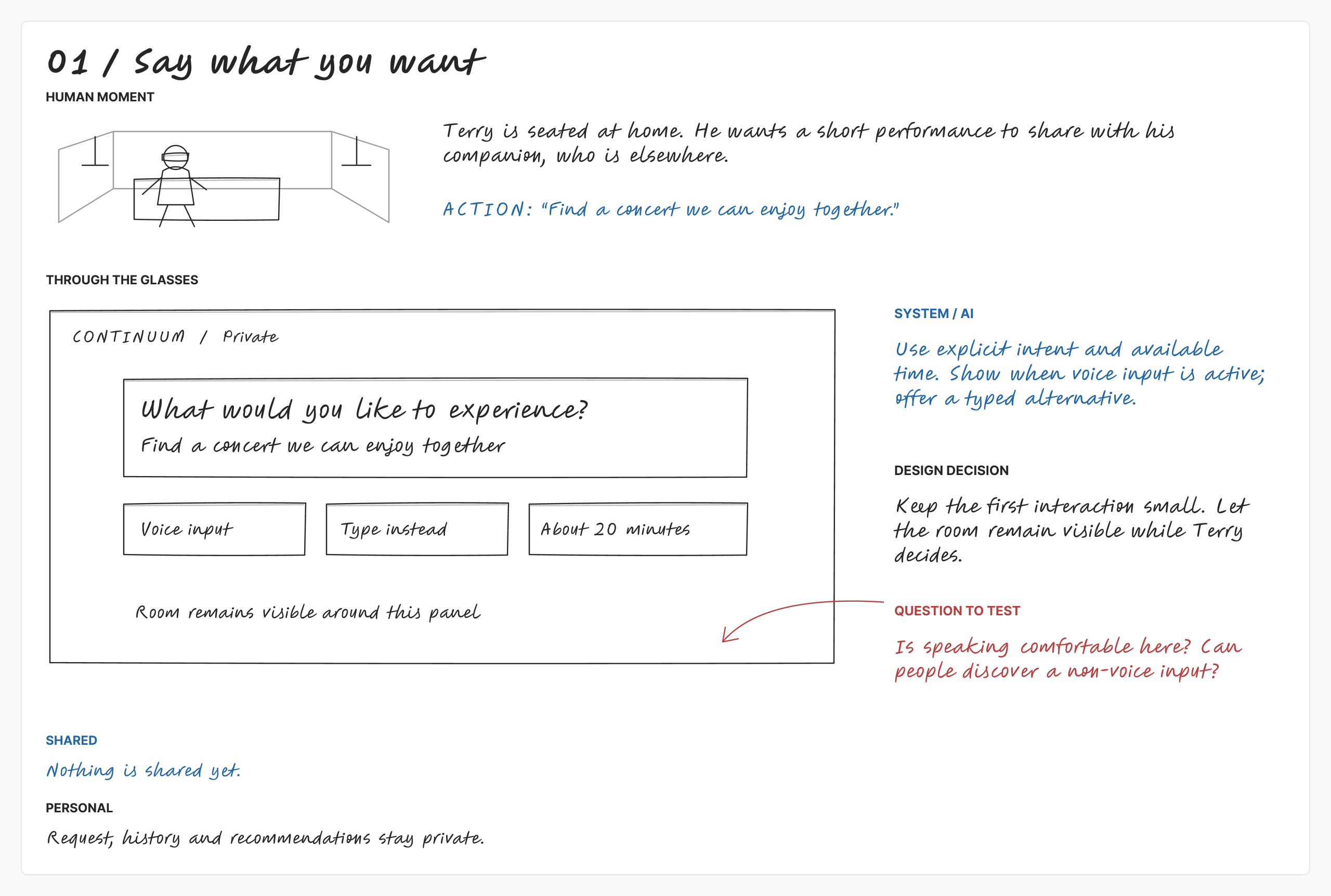
01 / Say what you want
Start with intent
A small request panel keeps the room visible. Voice has a typed alternative, and nothing is shared yet.
Read full sketch ↗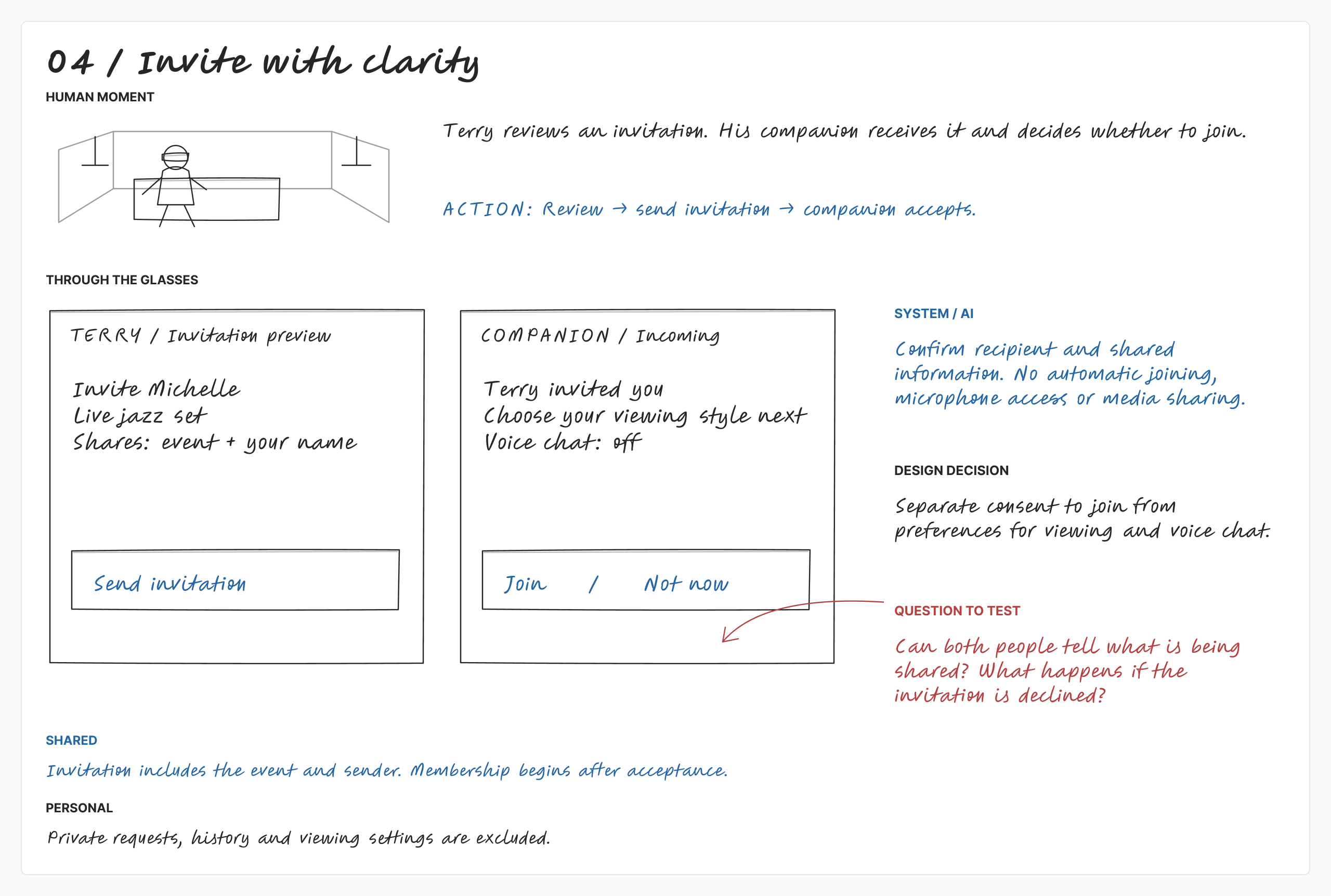
04 / Invite with clarity
Make sharing a choice
Preview the recipient and shared information. Joining the session is separate from turning on voice chat.
Read full sketch ↗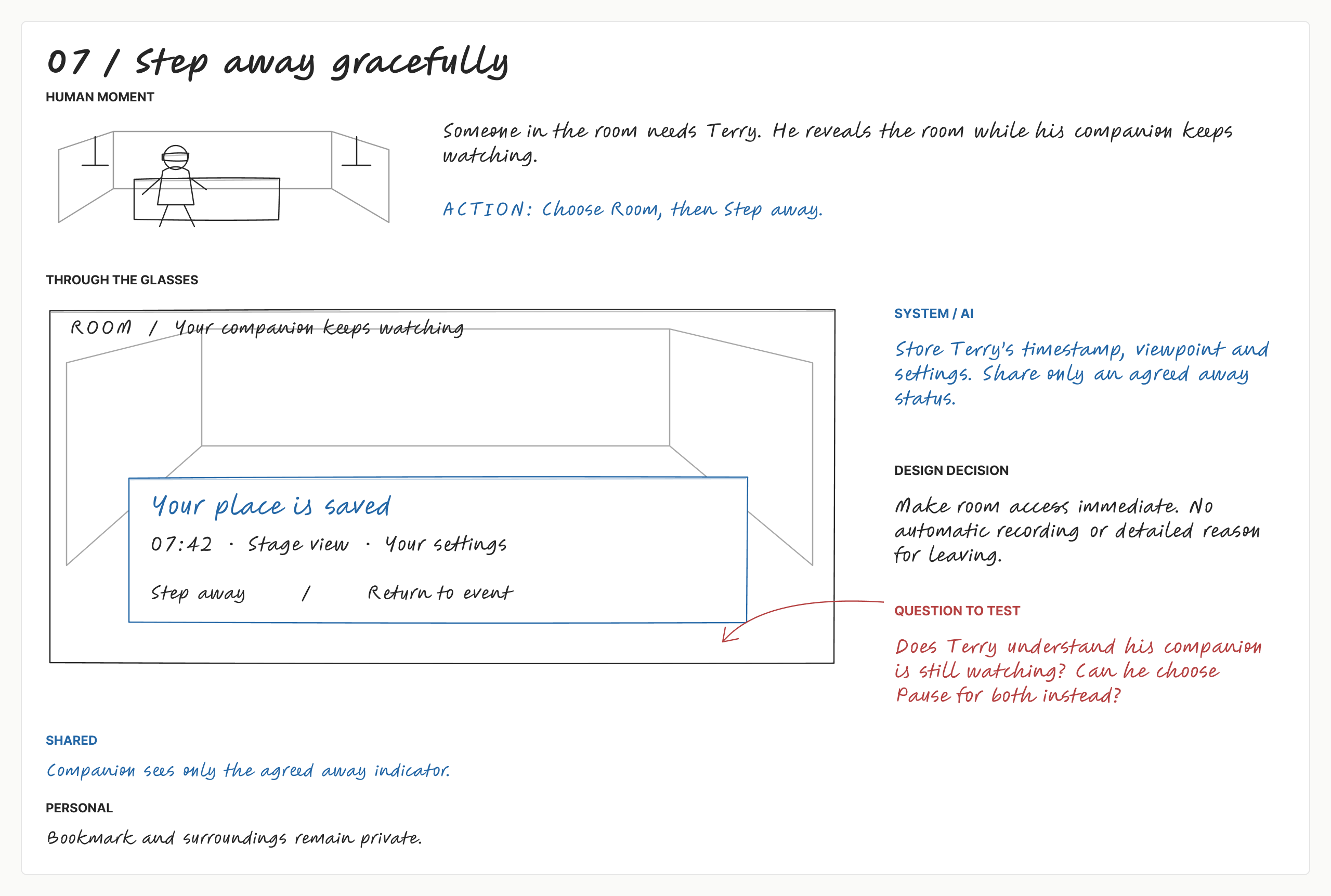
07 / Step away gracefully
Step away without disruption
Save a personal bookmark while the companion keeps watching. Share only an agreed away status.
Read full sketch ↗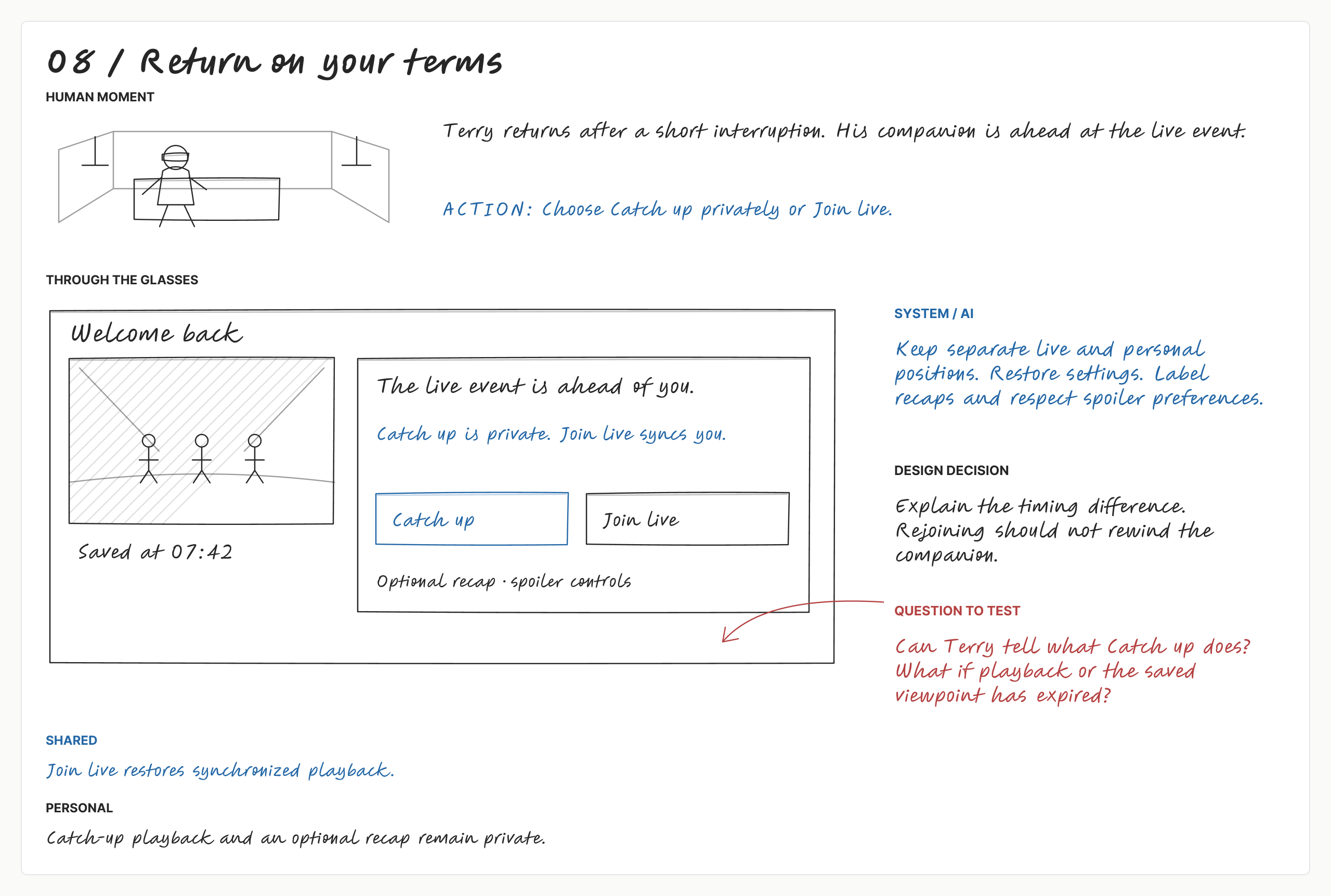
08 / Return on your terms
Return on your terms
Choose private catch-up or rejoin live. Returning should not rewind the other person’s experience.
Read full sketch ↗Black captures the human experience, blue the proposed system behavior, and red the questions to test. These are early design explorations, not validated research findings.
View the complete eight-scene sketchboard ↗02 / The experience at a glance
One journey. Five intentions.
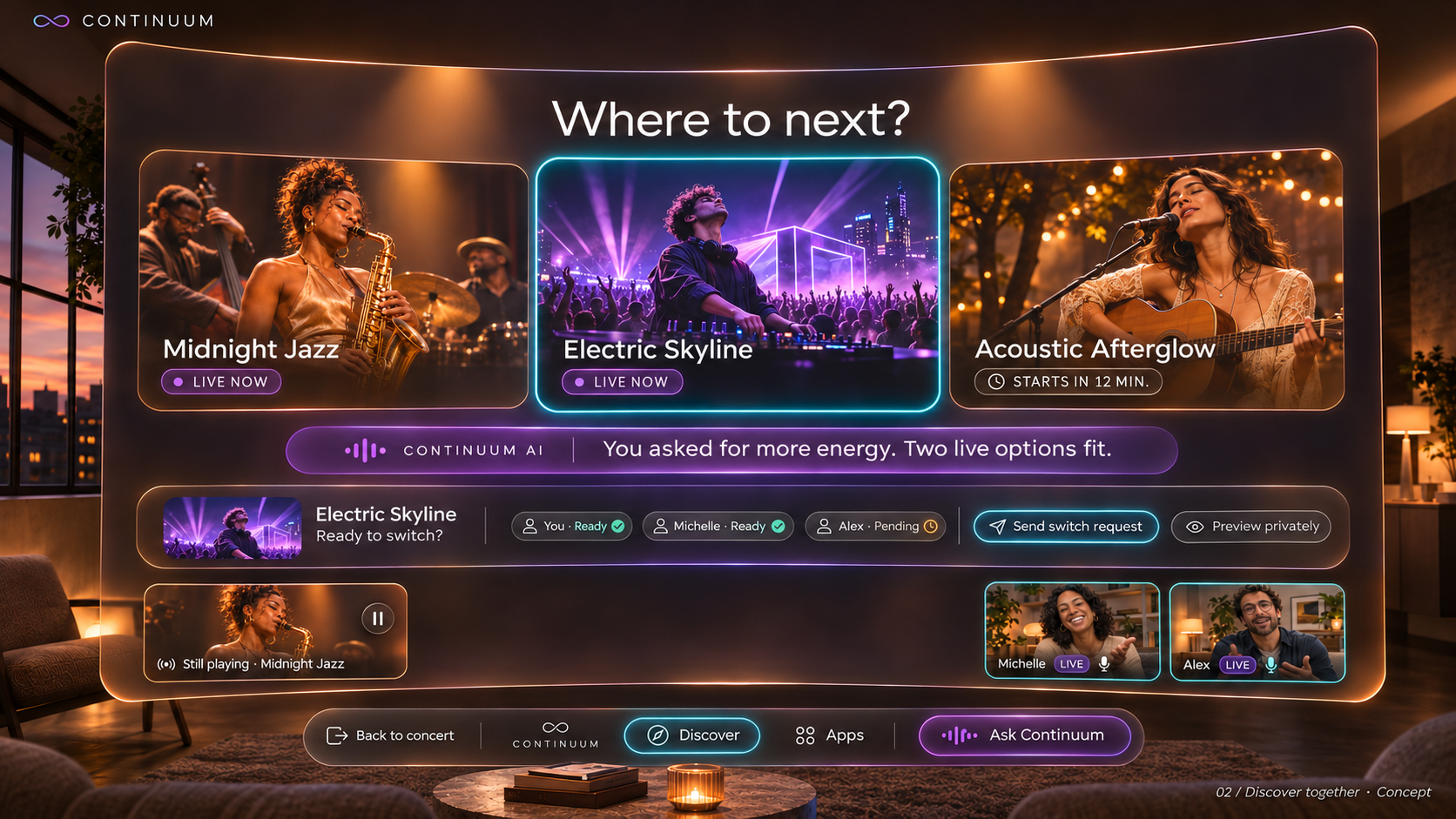
The early sketches become a visual journey. Choose a moment to see what changes—and what stays with you.
Discover
Find something for this moment.
AI explains why a recommendation fits; you choose what to preview.
What stays
Current playback stays available.
03 / The experience bookmark · Proposed behavior
Return to the experience,
not just the timestamp.
An interruption should not erase the choices that made the moment yours.
- Reveal the room
- Quiet & save the moment
- Choose “Bring me back”
- Restore your saved state
The proposed bookmark
Playback position · Viewpoint · Captions · Environment settings · Personal annotations
A recap is offered only when captions or metadata support it. Shared information stays subject to participant permissions.04 / Watching + voice
AI proposes.
You decide what changes.
“Show me the drummer’s view.” A request becomes a visible proposal, with a clear scope and a way back.
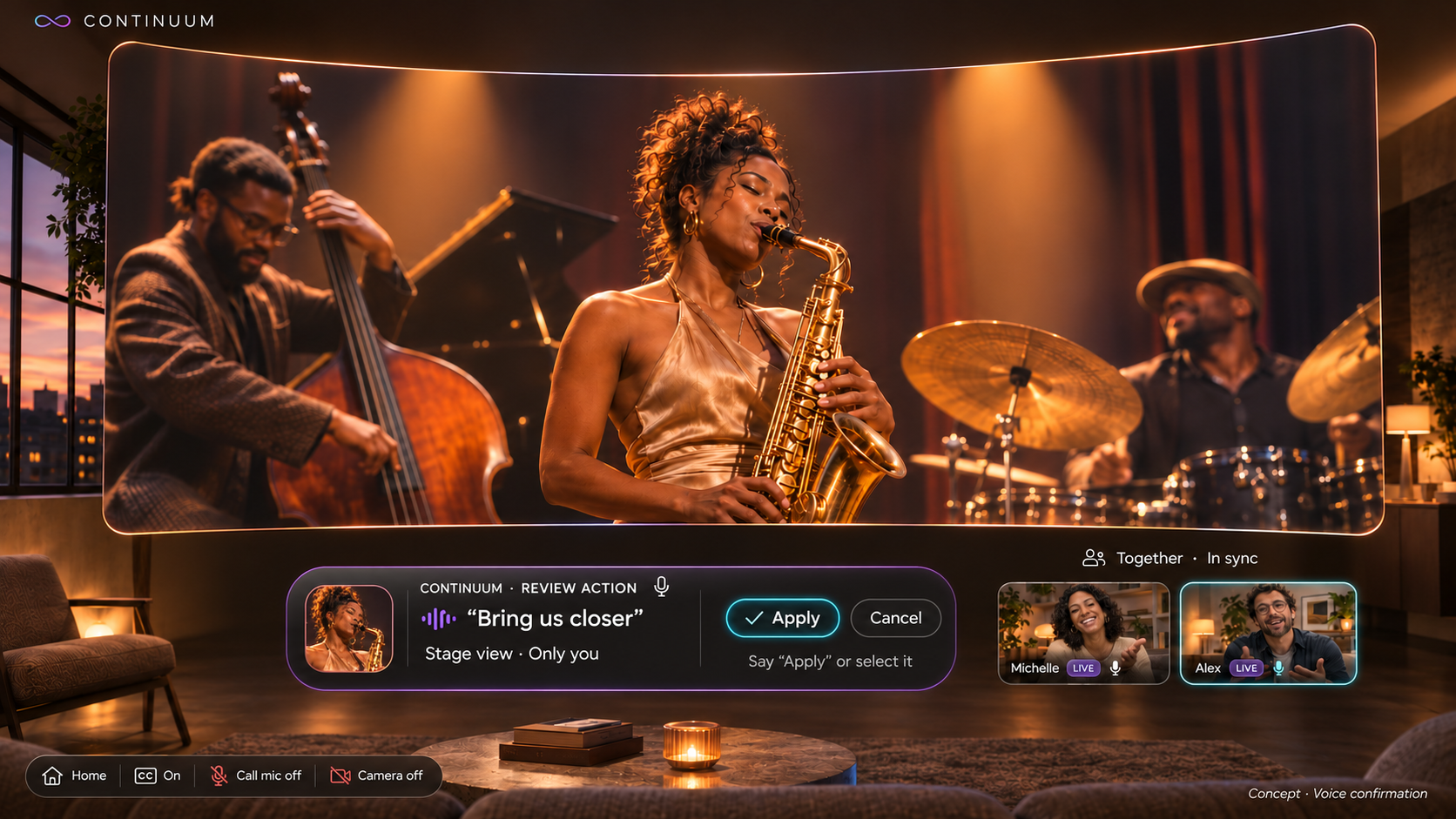
- Listening: acknowledge the request
- Preview: show what will change
- Apply: explicit confirmation
- Undo: restore the previous view
The Figma flow simulates voice. Gaze alone does not confirm an action; assistant listening and the call microphone are separate states.
05 / Together, with clear boundaries
A shared moment.
Individual control.
Choose a friend, preview what will be shared, and confirm the invitation. A group change is a request—not a change imposed on everyone.
Invite deliberately
Preview the session before sending an invitation.
Keep personal settings
Your viewpoint and captions need not change everyone’s experience.
Leave without losing your place
Planned: mute, leave, or return to private viewing with session context preserved.
06 / Design decisions
Less interface.
More confidence.
Keep the performance central
Controls can compete with the content.
My decisionUse a compact session strip; reveal secondary controls when needed.
Intended benefitKeep essential actions findable without filling the room with UI.
Preview before changing
A spoken request can be ambiguous.
My decisionShow the proposed action and its scope before Apply; offer Undo.
Intended benefitMake AI behavior predictable and reversible.
Separate my view from our session
A personal adjustment should not move everyone.
My decisionAnchor friend tiles beneath the media and require acceptance for group offers.
Intended benefitPreserve connection while respecting individual choices.
07 / From Figma to interaction
A consistent language
for changing states.
The Figma file defines reusable buttons, voice capsules, friend tiles, compact session controls, and camera choices. The same interaction language carries through resting, listening, review, applied, and recovery states.
Cyan / Selection
Visible focus and intentional actions.
Violet / AI
Assistant state and review feedback.
Amber / Content
Warm media surfaces and room context.
Labels carry meaning alongside color. Reduced motion uses a dissolve rather than spatial travel. Functional runtime integration is pending the supplied prototype.
Explore the component foundations in Figma ↗08 / Interactive prototype
Interactive prototype coming soon.
The designs establish the direction. This space will host the working experience when it is ready.
09 / Planned validation
Test understanding,
comfort, and control.
- Can people predict what changes between modes?
- Can they preview, correct, and undo an AI action?
- Can they reveal the room and return without confusion?
- Do they understand what is shared with friends?
- Are text, controls, placement, and motion comfortable on the intended hardware?
Continuum / Independent concept
Richer experiences.
People stay in control.
AI can coordinate media without taking over a person’s attention, surroundings, or connections.
Independent exploration. Not commissioned by, affiliated with, or shipped by Meta or Apple.