
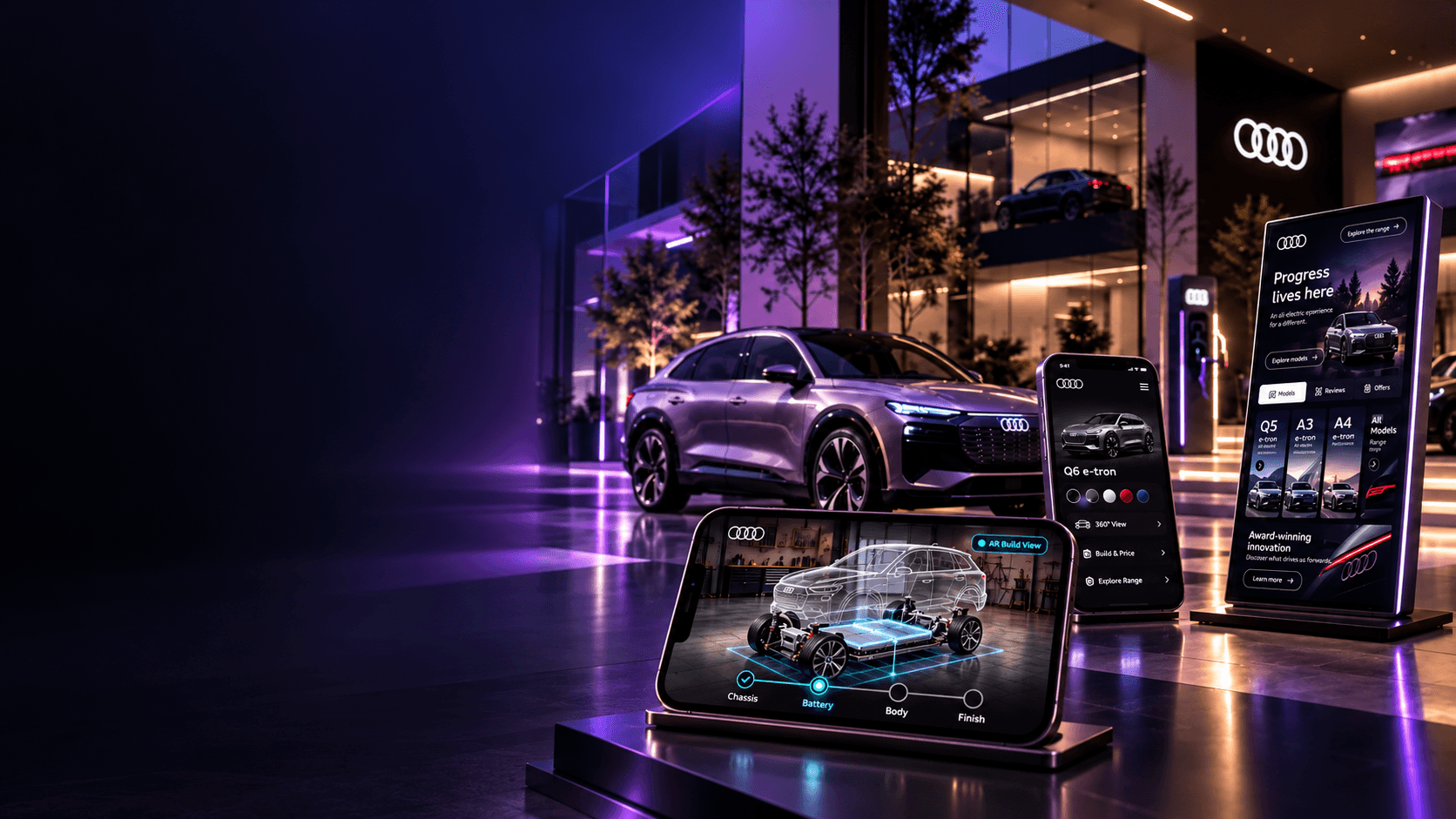
Where Digital Meets Driving.
I shaped mobile and kiosk UX to connect vehicle discovery, configuration, and the showroom experience.
Explore the design approachTHE CHALLENGE
Connect the journey across screens and spaces.
Connect discovery, configuration, and ownership without making shoppers start over.
- 01 / EXPLORE
Find the right EV.
Model pages, technology highlights, and offers bring the Audi range into focus.
- 02 / CONFIGURE
Make it your own.
Explore a configuration on mobile or kiosk, then refine and save it in the app.
- 03 / CONTINUE
Follow the build.
Explore how AR could make vehicle assembly stages easier to understand.
My role & collaboration
I shaped the mobile and kiosk UX, from journey flows and interface exploration to interactive prototypes. I partnered with product owners and engineering to align the experience with requirements and Audi’s brand guidelines.
Design focus
Build a shared understanding of shopper needs and keep the next step clear across touchpoints.
USER LENSES
One experience. Two places to explore.
Support independent discovery and guided showroom visits.
The EV explorer
Understand the range and decide which electric model fits their needs.
I conducted live user interviews and moderated usability sessions to understand customer needs, identify friction, and inform design decisions.
- Compare models without losing context
- See technology and offers in plain language
- Save a configuration to revisit
EXPLORE THE EXPERIENCE
From first look to watching it take shape.
Choose a step: discover, personalize, or follow the build. Concept preview · no live data.
Start with the car, not the form.
Give shoppers a visual way into the Audi EV range. I organized model choices, technology highlights, and offers around the vehicle so people can explore without starting with a form. Clear content hierarchy and prominent touch targets make the kiosk easier to scan, while familiar navigation supports independent browsing in the showroom.
SHAPING THE DIRECTION
How I shaped the direction.
Align requirements, review the landscape, and map the journey with product and engineering.
Review the MVP
Align the experience to the product requirements and the most important EV-shopping tasks.
Study the landscape
Use competitive analysis to understand how automotive experiences present models, features, and offers.
Map the journey
Whiteboard the mobile and kiosk flow with product owners and engineering before refining the interface.
LOW-FI EXPLORATION
From sketches to connected flows.
Still a little old school: sketch by hand, refine in Figma. Clarity before polish.
First ideas
Make the next action clear. These sketches explore screen hierarchy and larger touch targets before committing to detailed UI.
Kiosk & Mobile flow
Preserve continuity. The flow connects a saved configuration to mobile through a QR handoff, then maps ownership and recovery paths.
AR mobile exploration
Keep the customer in control. The AR exploration includes camera permission, a 3D-viewer alternative, and recovery when a surface cannot be found.
THE SHOWROOM EXPERIENCE
See the kiosk signage in motion.
See vehicle discovery in motion. Explore both showroom videos.
KEY DESIGN DECISIONS
The decisions behind the experience.
Make discovery intuitive, keep choices connected, and make support easy to find.
- 01 / DISCOVERY
Show the vehicle first.
Lead with visual exploration, then reveal details as shoppers need them.
Explore the experience - 02 / CLARITY
Keep choices in context.
Pair clear options with a vehicle preview so shoppers can review what they are shaping.
See the connected flow - 03 / CONTINUITY
Carry progress forward.
Connect a saved configuration to mobile and the showroom through a clear handoff.
Trace the handoff - 04 / COLLABORATION
Make the direction tangible.
Use flows and interactive demos to give product and engineering a shared experience to review.
Watch the showroom demos
VALIDATION & NEXT STEPS
What I would validate next.
Test completion, continuity, and confidence. Proposed measures—not measured results.
Build completion
Can shoppers finish a configuration with the information they need?
PROPOSED TASK SIGNALSave and resume
Can someone return to a saved build on another device or in-store?
PROPOSED CONTINUITY SIGNALDecision confidence
Can shoppers explain the model and features they selected?
PROPOSED COMPREHENSION SIGNAL