Interactive prototype
Explore the dashboard and event workflows. Choose Play Prototype for a fullscreen viewer, or open it in a separate tab. This is an interactive design prototype, not a shipped product.
RESEARCH & DISCOVERY
Before redesigning UpGather, I studied how event teams plan, publish, coordinate, and manage events across fragmented tools, workflows, and stakeholders.
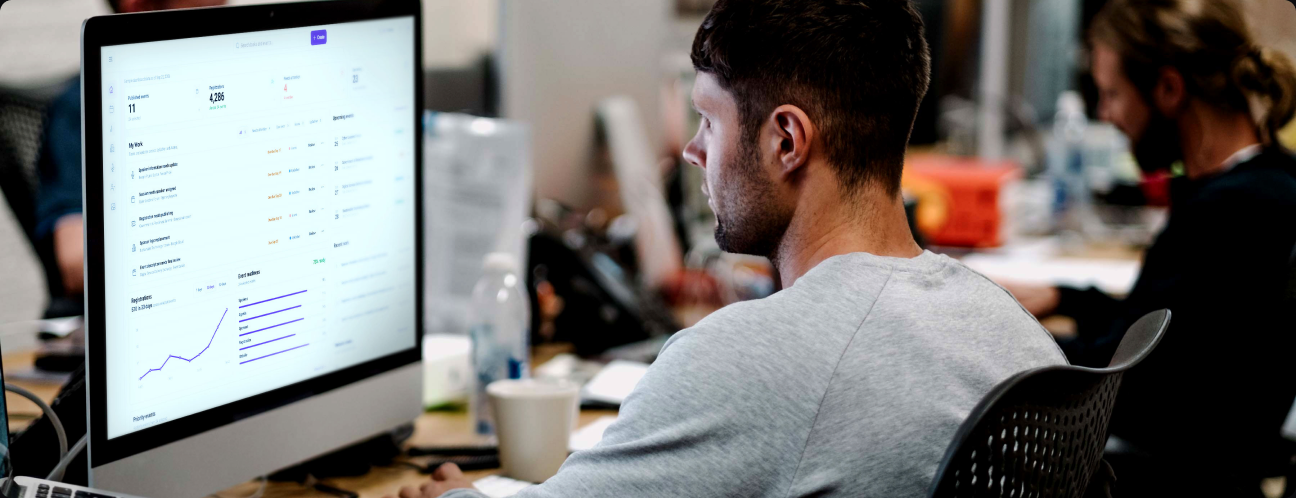
Product
Upgather - Event SaaS Creator
My role
Principal Product Designer
Format
Product design & prototyping
Focus
Enterprise UX, Experience architecture
RESEARCH EVIDENCE
Workflow analysis, stakeholder input, and prototype iteration informed a clearer event operations workspace.
RESEARCH METHODS
01

WORKFLOW ANALYSIS
Reviewed end-to-end workflows across Events, Speakers, Sponsors, Agenda, Registration, Members, Organizations, Invitations, analytics, and publishing.
02

STAKEHOLDER DISCOVERY
Translated evolving business, customer, product, and technical requirements into workflows, interaction models, and product direction.
03

COMPETITIVE / DESK RESEARCH
Studied event-management SaaS, registration, CMS, workflow, dashboard, automation, and integration patterns.
04

PROTOTYPE ITERATION
Created and refined high-fidelity concepts for dashboards, event creation, side panels, registration, sponsors, members, organizations, and related experiences.
05

DESIGN-SYSTEM AUDIT
Reviewed typography, spacing, status patterns, list rows, components, and interaction consistency across UpGather.
06

IMPLEMENTATION QA
Compared Figma designs against the built application and worked with Engineering to resolve visual and interaction differences.
KEY OBSERVATIONS
01
FRAGMENTED WORK
Tasks lived across UpGather, Asana, email, spreadsheets, and other systems.
02
LOW VISIBILITY
Teams could not quickly understand what still needed attention before an event was ready.
03
INCONSISTENT PATTERNS
Similar workflows had diverged in typography, spacing, status treatments, hierarchy, and interaction behavior.
04
NAVIGATION FRICTION
Users often knew what needed updating but still had to search through the product to find it.
05
NO CLEAR NEXT STEP
The system presented information but did not consistently guide users toward the most important action.
06
DESIGN-TO-BUILD FRICTION
Differences between Figma and production created additional review and correction cycles.
KEY RESEARCH INSIGHT
Users didn't need more features. They needed the system to tell them what mattered next.
SIGNALS
→
Tasks, event status, integrations and user activity
PRIORITIZATION
→
Role, urgency, deadline and event impact
CONTEXTUAL GUIDANCE
→
Surface what needs attention
DIRECT ACTION
Take the user directly to the work
Research shifted the product strategy from simply organizing event data toward helping users understand priorities, reduce operational friction, and take action faster.
Personalization
Automation
AI Assistance
Contextual Actions
RESEARCH ARTIFACT
Existing workflow artifact
Workflow map
This map makes connected steps and dependencies across the event-management lifecycle visible — surfacing where work branched, converged, and repeated across multiple tools and stakeholders.
Existing workflow artifact
Workflow map
This map makes connected steps and dependencies across the event-management lifecycle visible — surfacing where work branched, converged, and repeated across multiple tools and stakeholders.
Mapping the end-to-end event lifecycle to surface where work branched across tools and roles.
Workflow analysis · Research method 01
RESEARCH NOTE
This phase relied primarily on workflow analysis, stakeholder input, competitive research, prototype iteration, design-system review, and implementation feedback rather than a formal large-scale moderated user study.
MY ROLE & OWNERSHIP
As Principal Product Designer for UpGather, I owned the product experience from discovery and North Star direction through detailed UX/UI, prototyping, design-system development, developer handoff, and implementation support.
WHAT I LED
I LED
PRODUCT DIRECTION
Defined North Star concepts and translated ambiguous requirements into actionable product direction.
EXPERIENCE ARCHITECTURE
Structured complex event-management workflows across the platform.
UX / UI DESIGN
Designed responsive, high-fidelity experiences from early concepts through implementation-ready detail.
INTERACTION DESIGN
Defined side panels, full-screen workflows, list behaviors, states, validation, navigation, and responsive interactions.
DESIGN SYSTEM
Evolved shared Figma components and patterns to improve consistency across the product.
DESIGN-TO-BUILD
Supported implementation through Storybook, repositories, MCP-based workflows, specifications, and visual QA.
HOW I WORKED
Principal Product Designer
↔
Product
Engineering
Data / AI
Content / Editorial
Business stakeholders
I worked directly with Engineering throughout design and implementation, using prototypes, Figma, Storybook, repository workflows, MCP-based handoff, and visual QA to reduce the gap between design intent and the built product.
DESIGN → BUILD WORKFLOW
Reviewed end-to-end workflows across events, speakers, sponsors, agenda, registration, members, organizations, invitations, analytics, and publishing.
PRODUCT DIRECTION
The research insight — surface what matters next — directly shaped this North Star dashboard concept. My Work, task status, event readiness, and contextual signals are surfaced as the primary workspace, not buried in navigation.
Explore the dashboard and event workflows. Choose Play Prototype for a fullscreen viewer, or open it in a separate tab. This is an interactive design prototype, not a shipped product.
The current dashboard shows My Work, task status, event readiness, and upcoming events. Review how daily work and contextual signals come together in one workspace.
Visible elements include a My Work panel surfacing task status, event readiness, upcoming events, recent work, and contextual signals — translating the research insight into one workspace.